Pointers and arrays
In general, array elements occupy consecutive locations in memory. Using this knowledge, we can use pointers to access array elements.
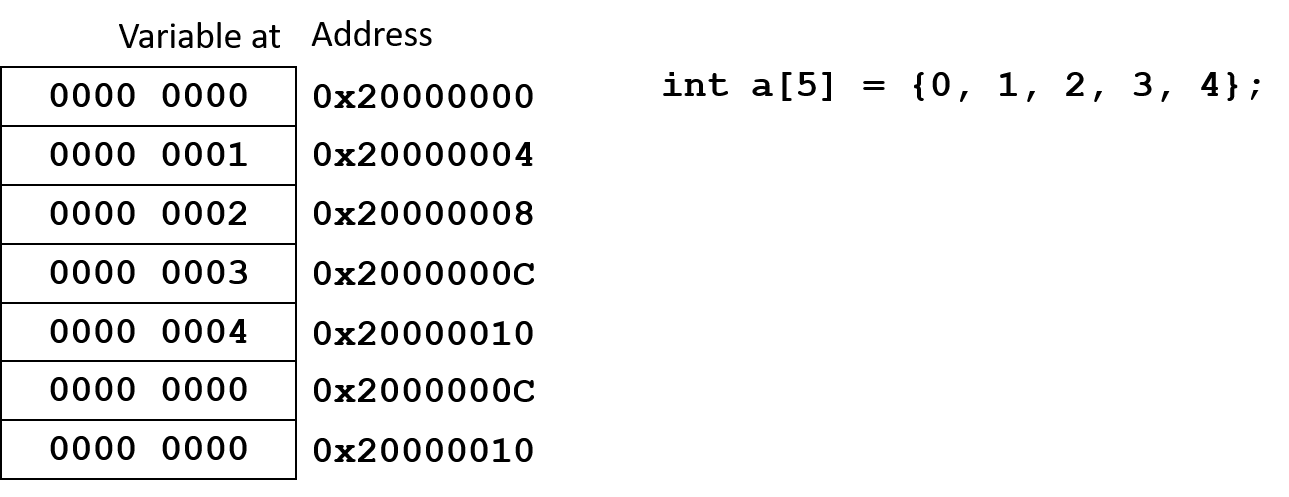
Initializing a pointer to an array
Code example
int a[5] = {0, 1, 2, 3, 4}; // integer array
int *p;                     // Create a pointer to an integer variable
To initialize the pointer to the array, you can use three different (equal) methods:
Code example
p = a;     // works only for arrays, as the array name (here: a) is the same as the address of its first element; Arm compiler will not complain
p = &a;    // works for arrays and variabls alike, but in case of an array, the Arm compiler will issue a warning
p = &a[0]; // safe way to point to the first element; compiler will not complain
To move to the next element of the array, simply increment the pointer:
Code example
p++;     // moves the pointer to the next element of the array
p--;      // moves the pointer to the previous element of the array
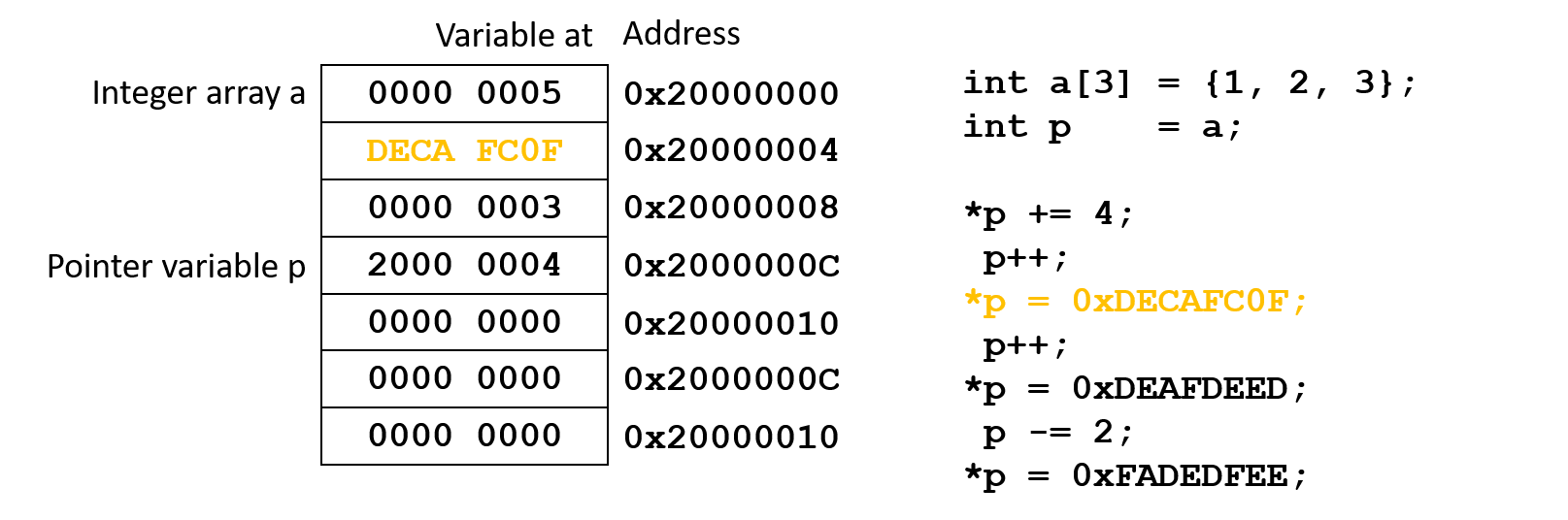
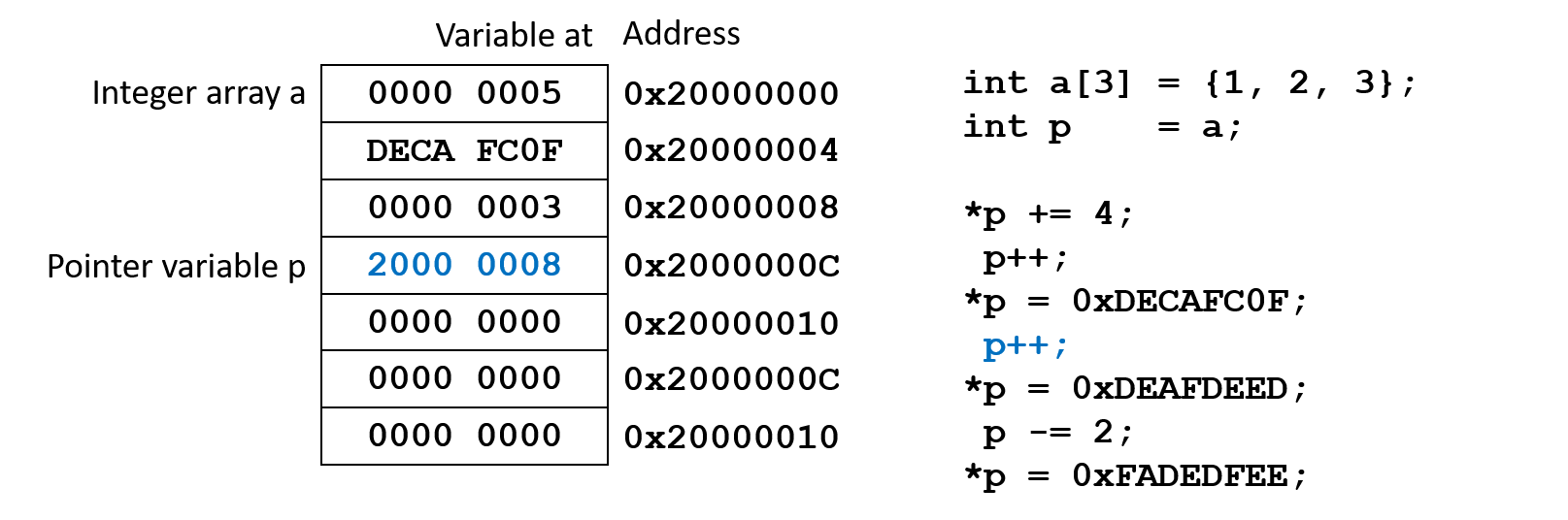
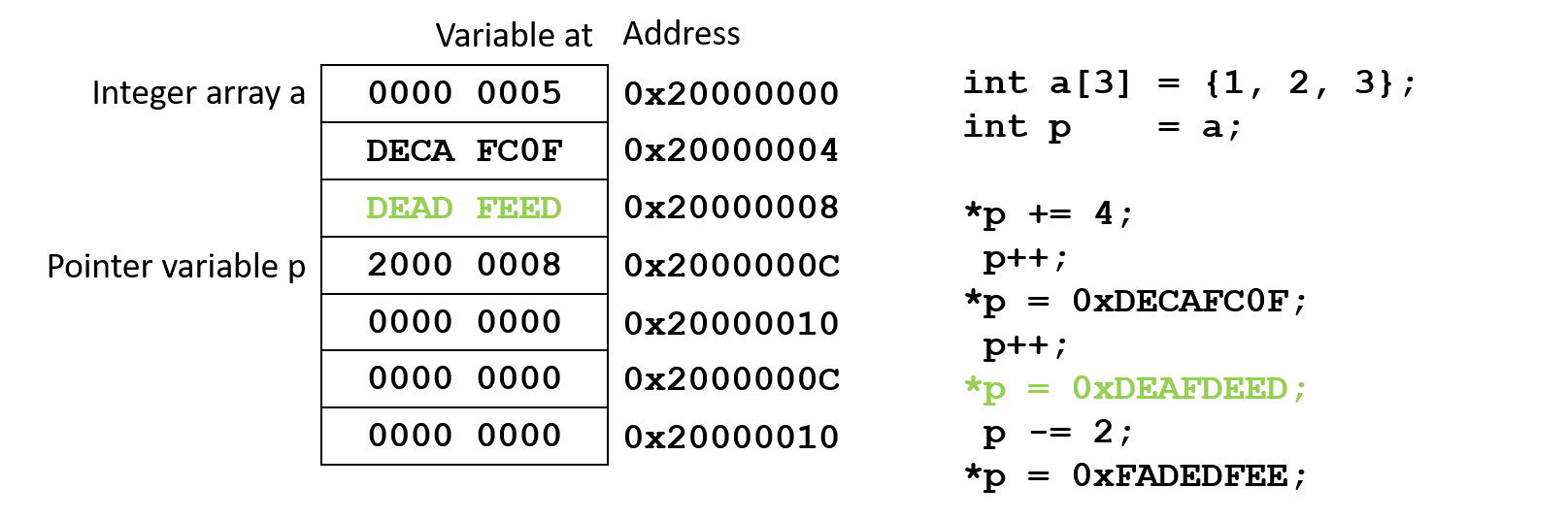
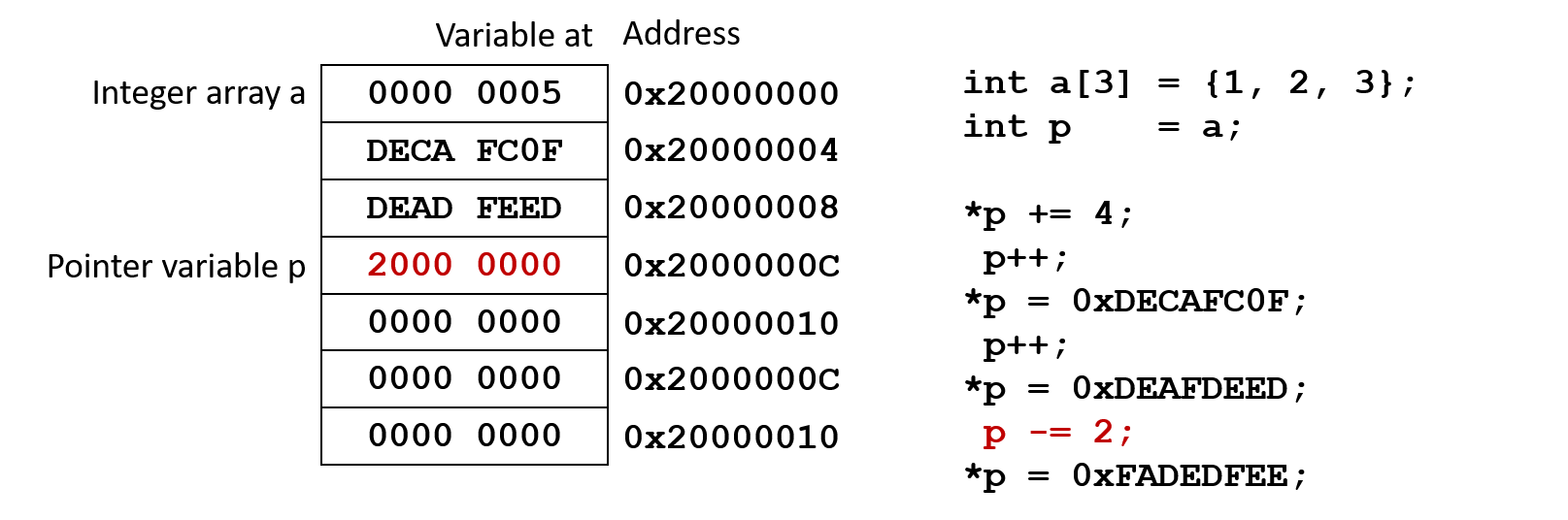
Adding or subtracting a number to/from the pointer will change it by a multiple of the number of bytes of its type.
Code example
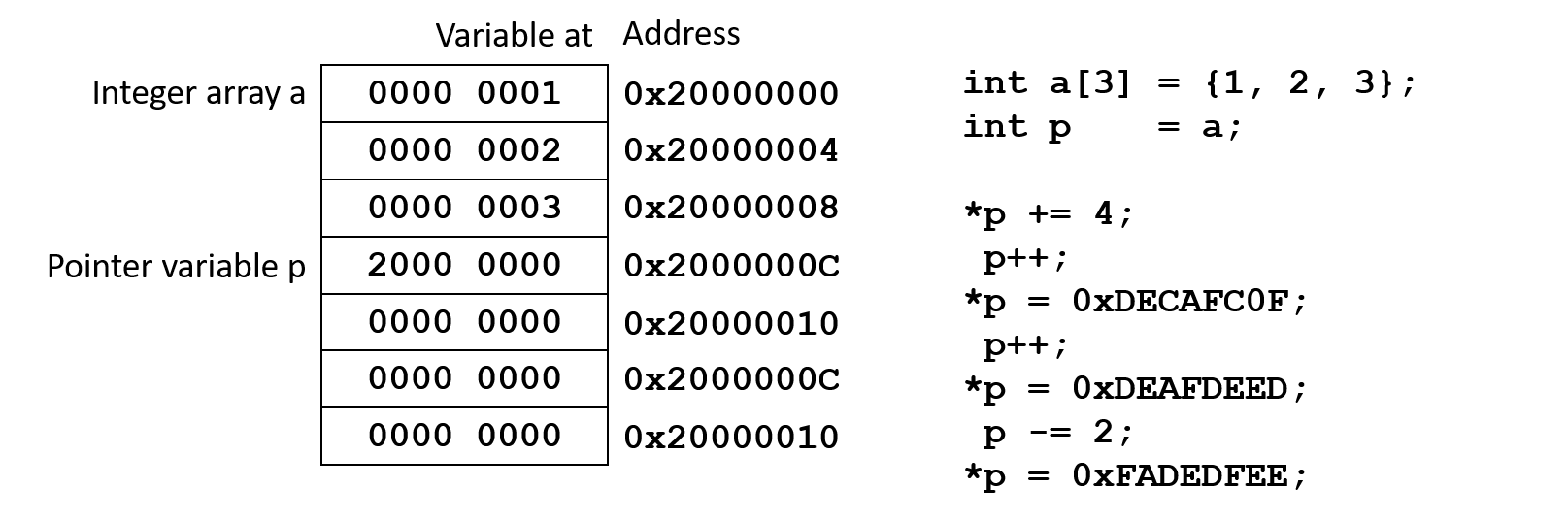
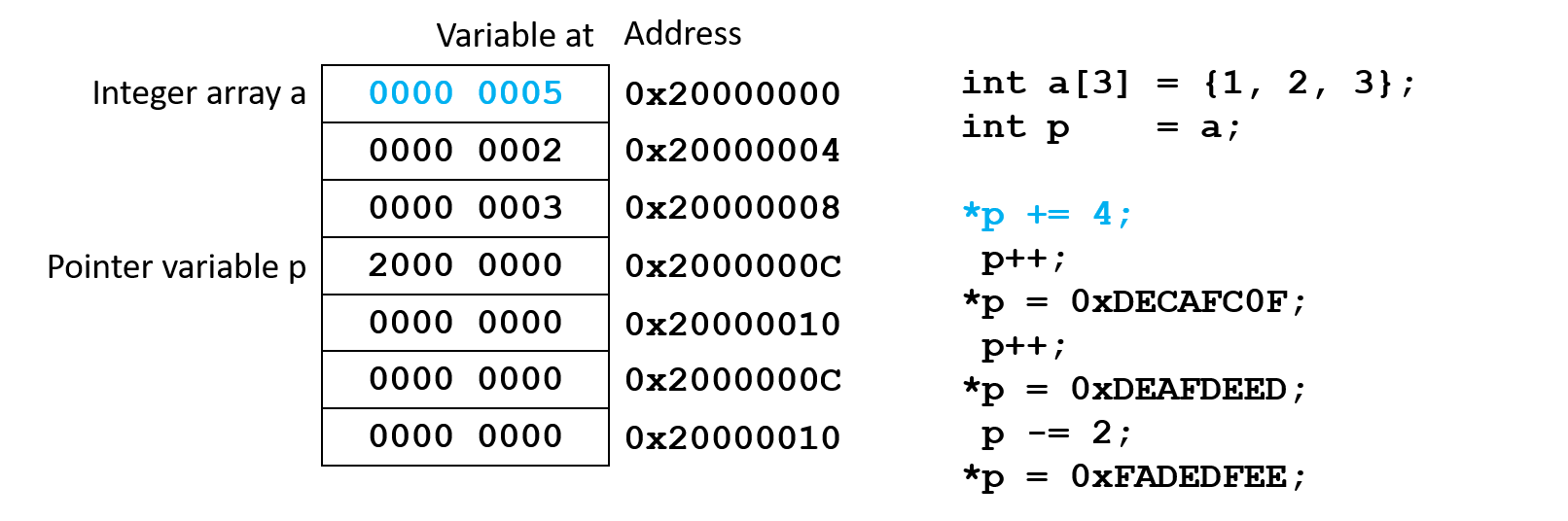
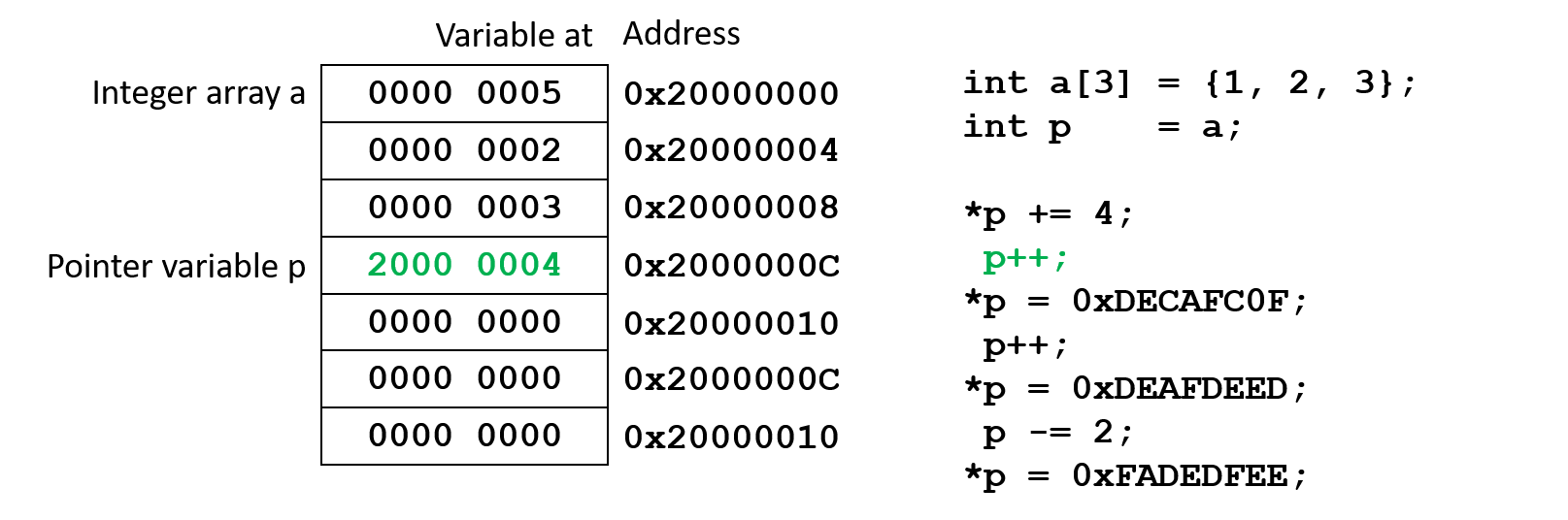
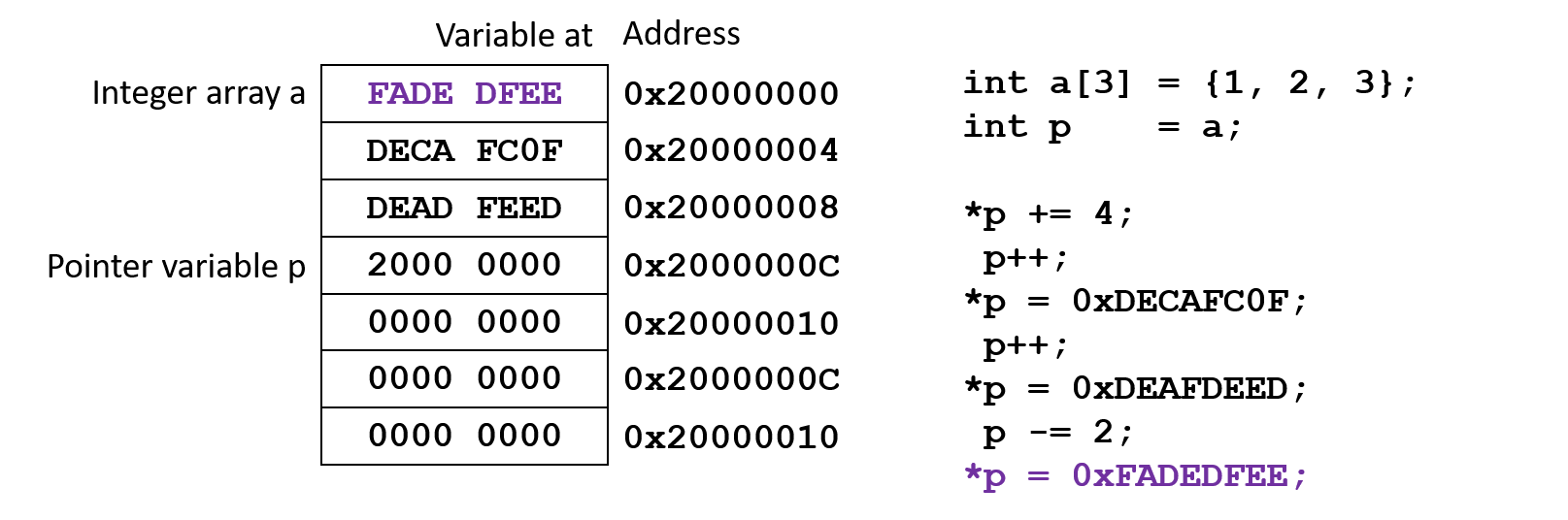
Increment/decrement syntax rules
Use parentheses to determine what gets incremented or decremented.
Modify the pointer itself
// Pre-increment:
*(++p);
*++p;
++p;
// usage example:
n = *(++p);
// is equivalent to:
p = p + 1;
n = *p;

// Post-increment:
*(p++);
*p++;
p++;
// usage example:
n = *p++;
// is equivalent to:
n = *p;
p = p + 1;
Modify the value pointed to by the pointer
// Pre-increment:
++(*p);
// usage example:
n = ++(*p);
// is equivalent to:
*p = *p + 1;
n = *p;

// Post-increment:
(*p)++;
// usage example:
n = (*p)++;
// is equivalent to:
n = *p;
*p = *p + 1;
Post-increment code example
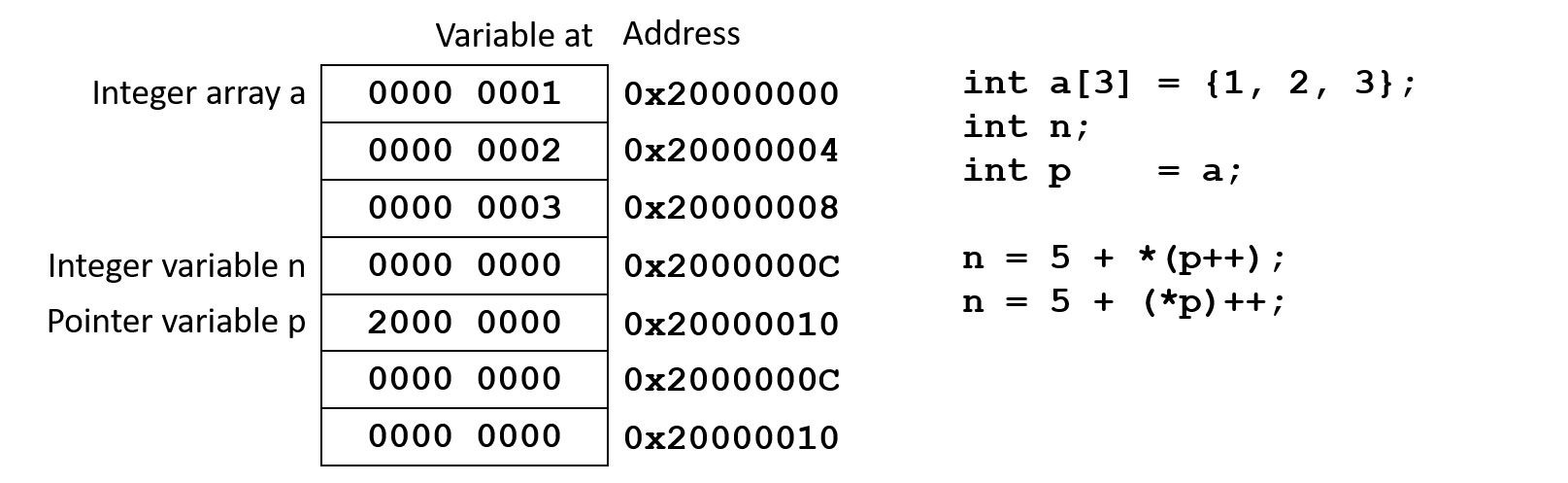
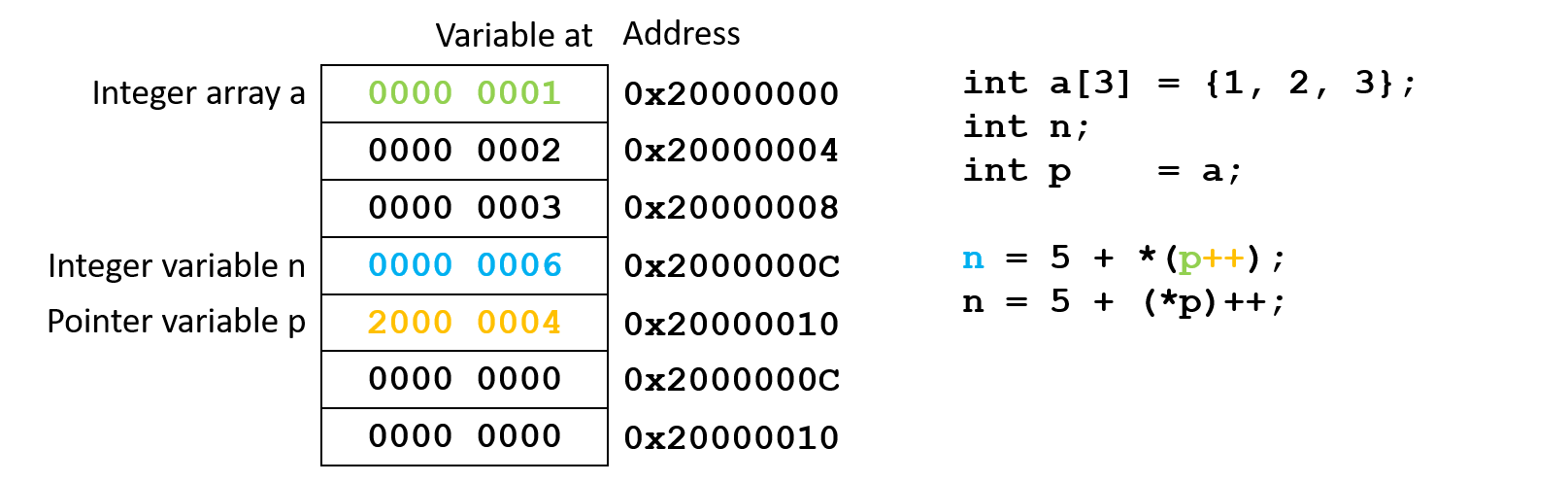
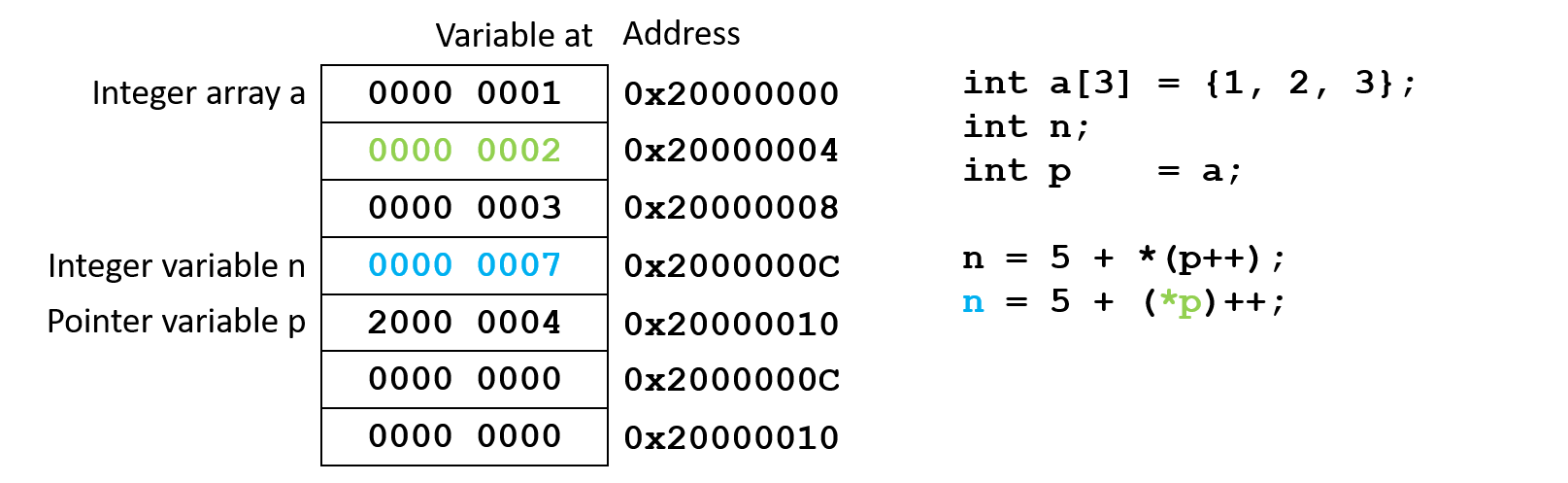
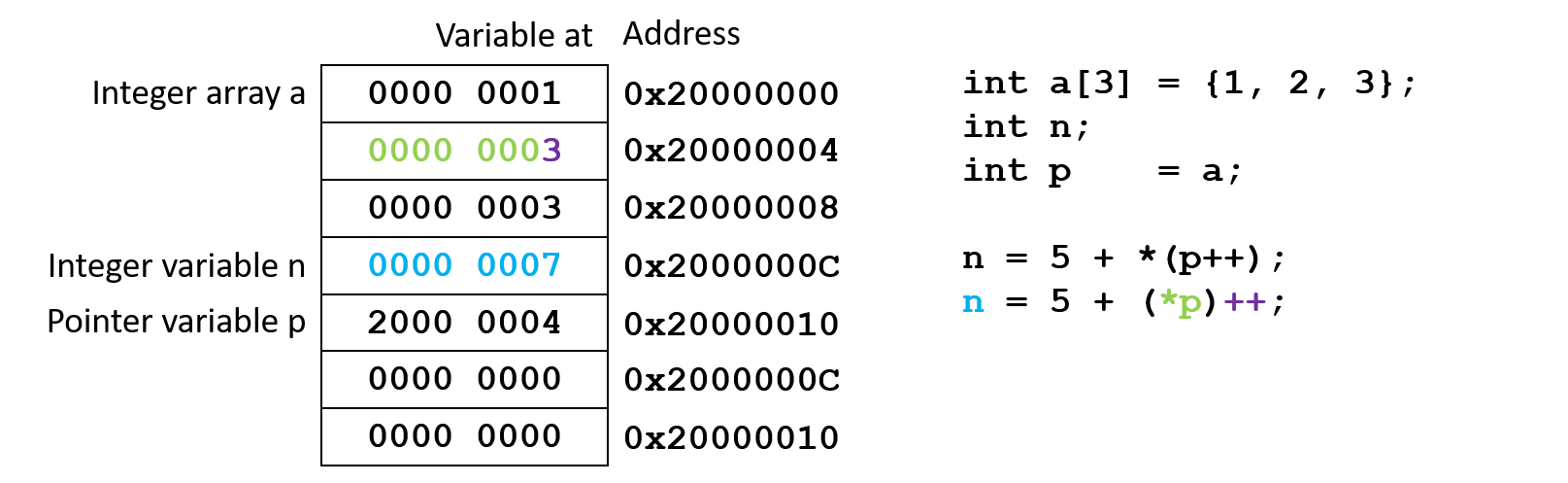
Remember that *(p++) is the same as *p++!
Pre-increment code example
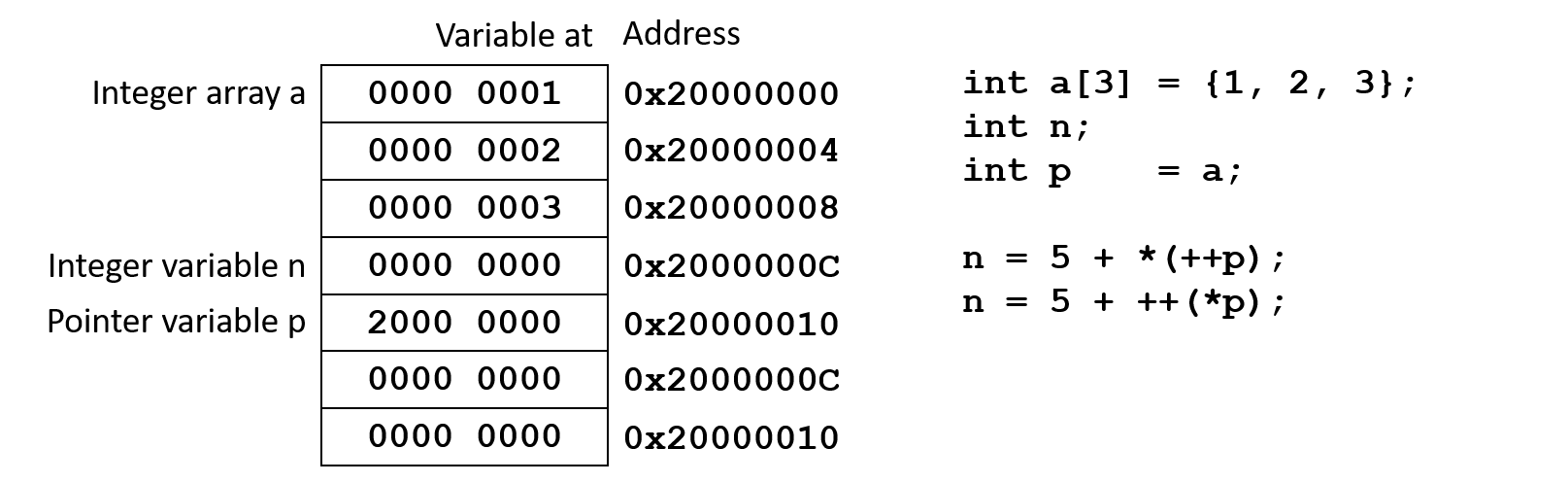
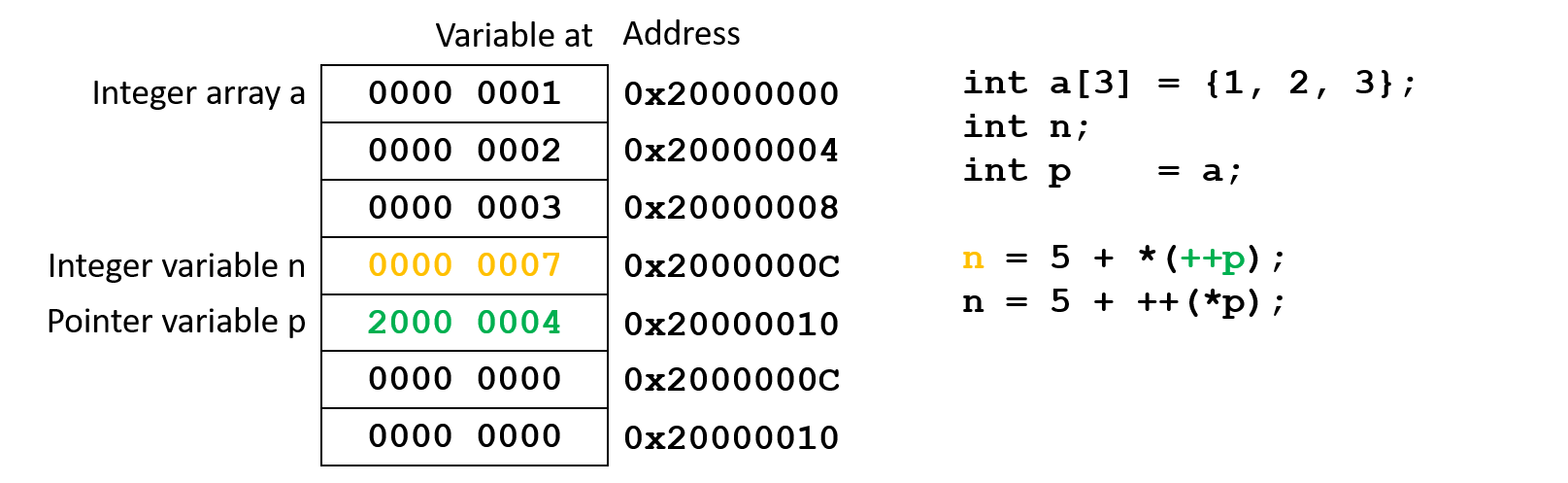
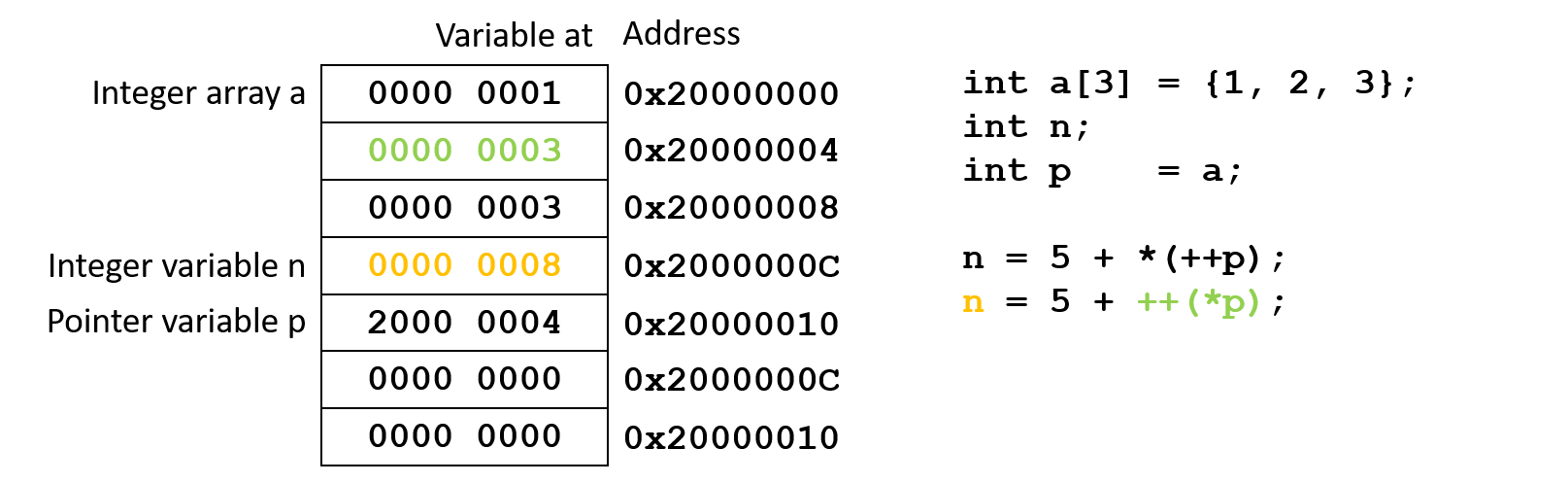
Remember that *(++p) is the same as *++p!